Browser editors
Visual site editor redesign for inSales storefronts
I implemented the frontend of a redesigned no-code site editor now used by more than 90% of inSales stores, and added a recovery mode for pages broken by custom widget code.
- 90%+ of inSales stores use the redesigned editor
- 60% → 80% new users who changed and saved a template or widget setting on their own in the first session
- ≈17% wider storefront preview on a 1920 px screen with the controls closed
For years he was the driving force behind our visual storefront editor — a large, complex application where merchants build their online stores.
From the recommendation by Dmitry Sadovsky
- My role
- Sole frontend developer: redesign implementation, data contract, recovery mode
- Period
- May 2024 – Aug 2024
- Skills
On this page
The problem
The visual site editor is the main tool inSales merchants use to change the design, pages and widgets of their store. The storefront opens in an iframe inside the admin, and the editor controls it from outside.
Before the redesign, one permanent sidebar did four jobs: global design settings, page sections, widget lists and the settings of the selected widget. Add, edit and delete were available both in the sidebar and inside the preview, so there was no single obvious way to work with a widget. The sidebar also took width away from the store itself, and a first-run tour would have had to explain several levels of the same panel.
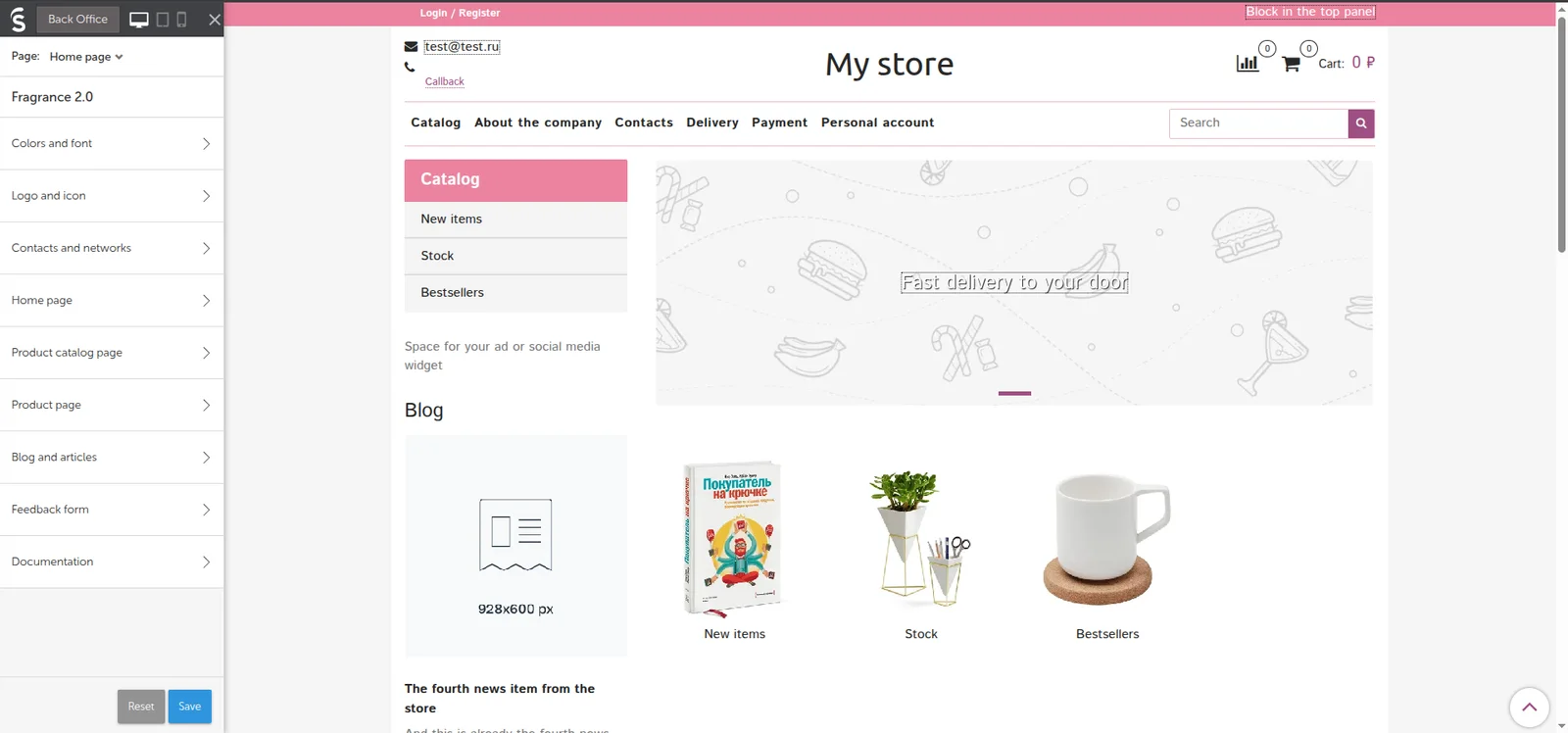
Before: global settings, page sections and widget lists shared one panel that never closed.
My role
A designer supplied the new layout. I was the only frontend developer on the project and implemented it in about eight weeks: the interface structure, data loading, iframe behaviour and the eight-step onboarding tour. I worked out the new data contract with the backend. The recovery mode was my own proposal: the design did not cover that case.
What I built
One role for each part of the screen
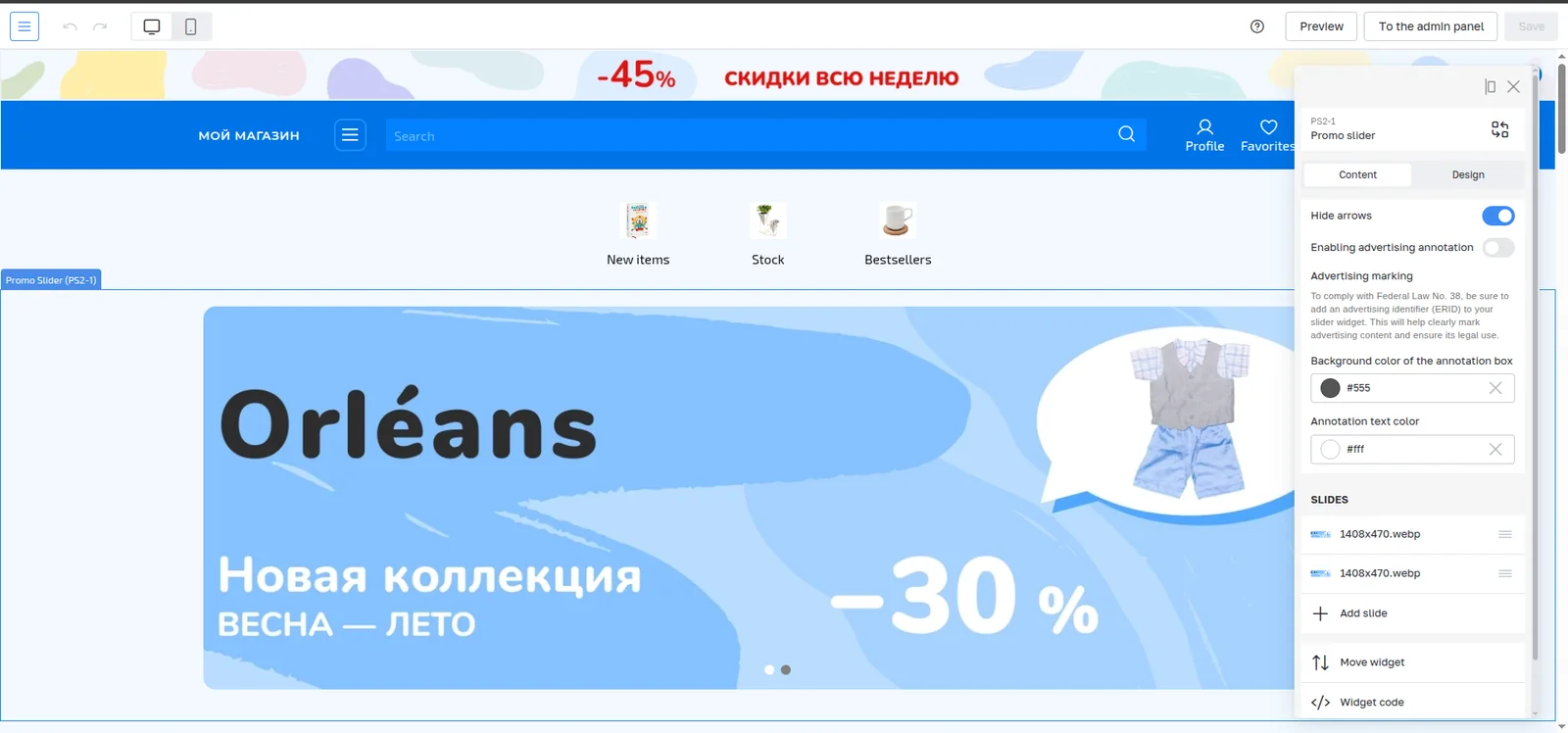
The top menu now holds global design settings and page navigation. Widget actions live in the storefront preview. Choosing Edit opens a floating panel with the settings of that widget only. I wrote the panel as a separate component and moved widget settings rendering into it. It opens over the store instead of shifting it, can sit on either side, and hides when the merchant finishes or scrolls the page. While it is open, an overlay over the iframe catches clicks, so a link inside a widget cannot navigate the store away mid-edit.
Request data when the interface needs it
The old editor loaded design settings, layouts and every widget list in one request on startup, because the sidebar showed them all at once. That response was only 5–10 KB, so this was not a speed fix. The point was to make the API match the new screen. The editor now asks only for what the top menu needs, and widget lists load when a merchant opens them.
Page switching that keeps the editor and the store in sync
Choosing a page in the menu has to move the iframe to that page, resolve which layout is active, load its settings and make sure later changes apply to the right page. Besides standard templates such as product, category, blog or account, merchants can create page-specific configurations, for example a banner on one category only. Those pages had to appear in the menu and open correctly too, so navigation could not be a fixed list.
Keep access to widgets that are not on the page
Pre-order forms, feedback forms and pop-ups appear only after a shopper action. With the sidebar gone and controls moved into the preview, merchants would have had no way to reach them. I added a separate top-menu section where they can find, add and configure these widgets.
A recovery mode that does not depend on the iframe
Merchants and partner developers write their own HTML, CSS, JavaScript and Liquid in widgets. A critical error can stop the storefront from loading. In the new design every widget control lived inside that storefront, so a broken page would also hide the widget that broke it. The workaround would have been another admin section or re-uploading the whole template.
I proposed and built a technical mode. When the editor detects that the page failed to load, it offers to open a list of every widget on the page with its name and ID. From there the merchant or a support engineer can open the settings, edit the code or remove the widget. The same list also works on healthy pages as a quick way to find a block.
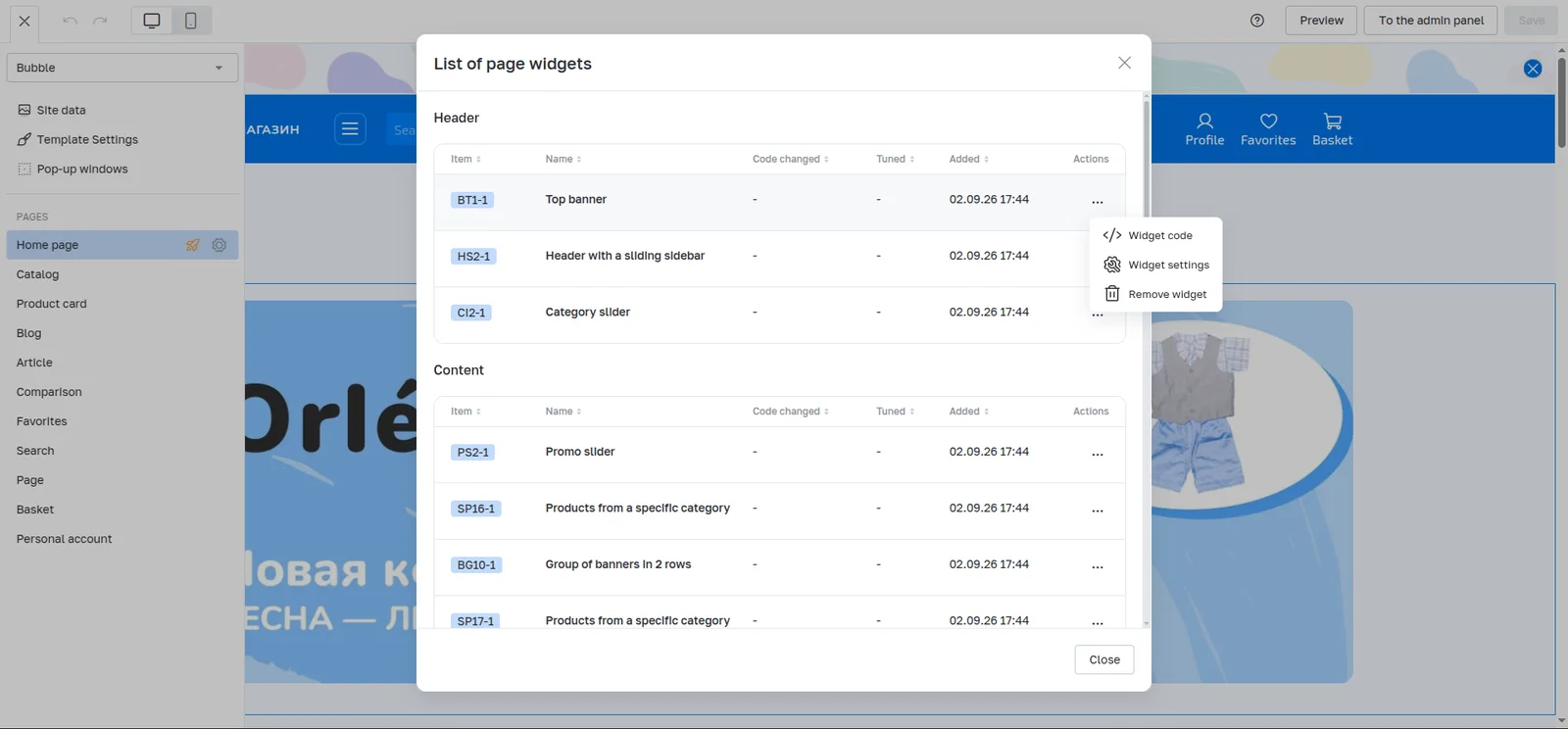
The recovery list works without the storefront preview, so a broken widget can still be fixed or removed.
Results
- The redesigned editor is used by more than 90% of inSales stores and is the standard editor for current-generation templates. The legacy editor remains for templates made before 2020.
- First-session success rose from 60% to 80%, a gain of 20 percentage points. It counts the share of new users who changed a template or widget setting on their own and saved it during their first session.
- With the controls closed, the storefront preview is about 17% wider on a 1920 px screen.
- Recovery mode runs in production: when custom widget code breaks a page, a merchant or support engineer can fix it from inside the editor.